# ONEWEB Designer Studios
#### **Overview**
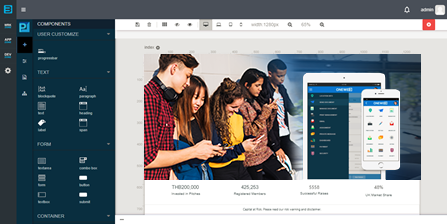
**ONEWEB Designer Studios** are a collection of visual design tools that enable users to design and create different parts of a ONEWEB application using graphical, drag‑and‑drop interfaces.
These tools allow users to build web forms, web pages, mobile applications, business processes, and microservices without requiring deep coding expertise. At the same time, they are fully integrated with the rest of the ONEWEB Platform, enabling designed artifacts to be executed reliably by the corresponding runtimes.
Designer Studios play a central role in making ONEWEB accessible to both technical and non‑technical users while still supporting enterprise‑grade application development.
***
#### **Role of Designer Studios in ONEWEB**
Designer Studios focus on the **design‑time experience** of application development.
Using these tools, users can:
* Visually design application components
* Define behavior, structure, and flow without manual coding
* Collaborate across roles using shared application artifacts
Each Designer Studio produces configuration artifacts that are later interpreted and executed by the appropriate ONEWEB Runtime.
***
#### **Available Designer Studios**
ONEWEB provides **four core Designer Studios**, each responsible for a specific aspect of application design.
***
**App Designer — Web Forms**
**App Designer** is used to create web forms that capture and manage business data.
These forms are commonly used for:
* Data entry and submission
* Approval and operational workflows
* Internal business applications
Forms designed in App Designer are executed by the App Runtime.
***
**Process Designer — Business Processes**
**Process Designer** is used to design and model business processes and workflows.
It enables users to:
* Define end‑to‑end business flows
* Combine human activities and system activities
* Control execution logic and process progression
Processes designed here are executed by the Process Runtime.
***
**Page Designer — Web Pages and Mobile Applications**
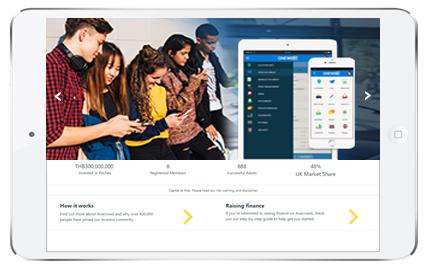
**Page Designer** is used to build responsive web pages and mobile application pages.
Using Page Designer, users can:
* Create UI pages using drag‑and‑drop components
* Design pages for both web and mobile experiences
* Apply styling and layout without manual HTML coding
Pages designed in Page Designer can later be packaged for web or mobile deployment.
***
**Microflow Designer — Microservices and Integrations**
**Microflow Designer** is used to design microservices and integration logic.
It allows users to:
* Define service orchestration and data flows
* Integrate with external systems
* Model backend logic visually
Microflows designed here are executed by the Microflow Runtime.
***
#### How Designer Studios Fit into the ONEWEB Platform
Within the ONEWEB conceptual model:
* **Designer Studios** define application structure and behavior
* **AppSpace** coordinates and manages application components
* **Runtimes** execute the designed applications and logic
This separation of design and execution allows ONEWEB to support visual development while maintaining consistency, scalability, and enterprise control.
---
# Agent Instructions: Querying This Documentation
If you need additional information that is not directly available in this page, you can query the documentation dynamically by asking a question.
Perform an HTTP GET request on the current page URL with the `ask` query parameter:
```
GET https://docs.onewebstack.com/overview/what-is-oneweb/oneweb-concepts/oneweb-designer-studios.md?ask=
```
The question should be specific, self-contained, and written in natural language.
The response will contain a direct answer to the question and relevant excerpts and sources from the documentation.
Use this mechanism when the answer is not explicitly present in the current page, you need clarification or additional context, or you want to retrieve related documentation sections.