# Environment Configuration
Business processes often interact with external systems such as **databases** and **web services**.\
In real‑world scenarios, the configuration values for these systems—such as database URLs, credentials, or service endpoints—**differ across environments** (e.g. Development, Test, Production).
For example:
* A **JDBC URL** for the Development database is different from the Test database
* Production environments typically use separate hosts, credentials, and endpoints
To address this, starting from **ONEWEB version 4.0.0.19**, Process Designer provides support for **Environment Configuration**, allowing such values to be defined as **environment variables**.
This approach allows the same process to be deployed across environments **without modifying the process diagram**.
***
### Purpose of Environment Configuration
Environment Configuration is designed to:
* Separate environment‑specific values from process logic
* Avoid manual changes to process diagrams during deployment
* Support multi‑environment deployment (Dev / Test / UAT / Prod)
* Reduce configuration errors and maintenance effort
* Improve process portability and reusability
By using environment variables, processes become **environment‑agnostic**.
***
### Creating Environment Variables in an Application
To configure environment parameters for a process, environment variables must first be defined at the **application level**.
***
#### Step 1: Open Environment Setup
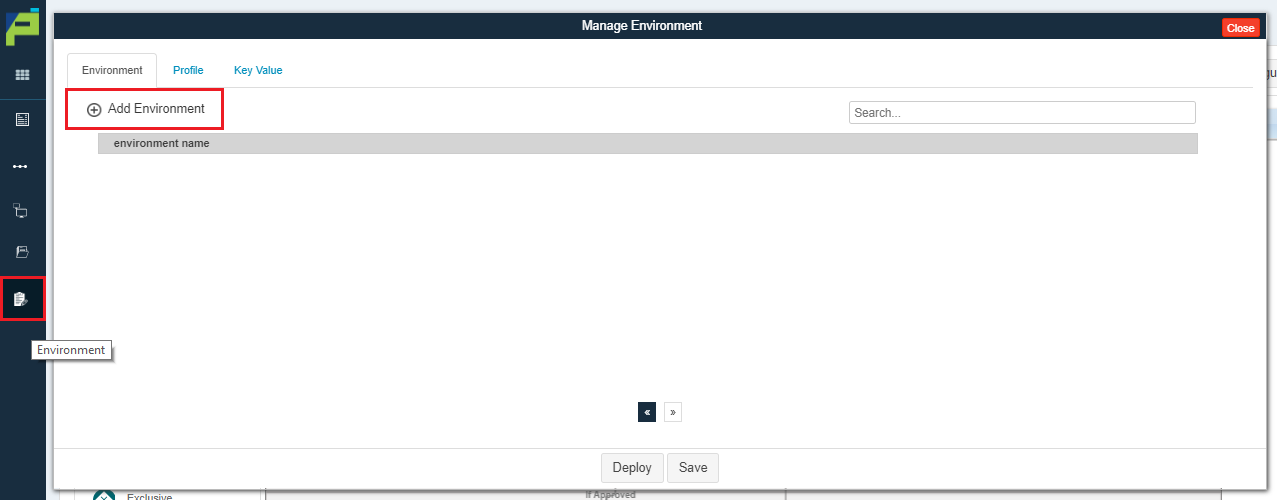
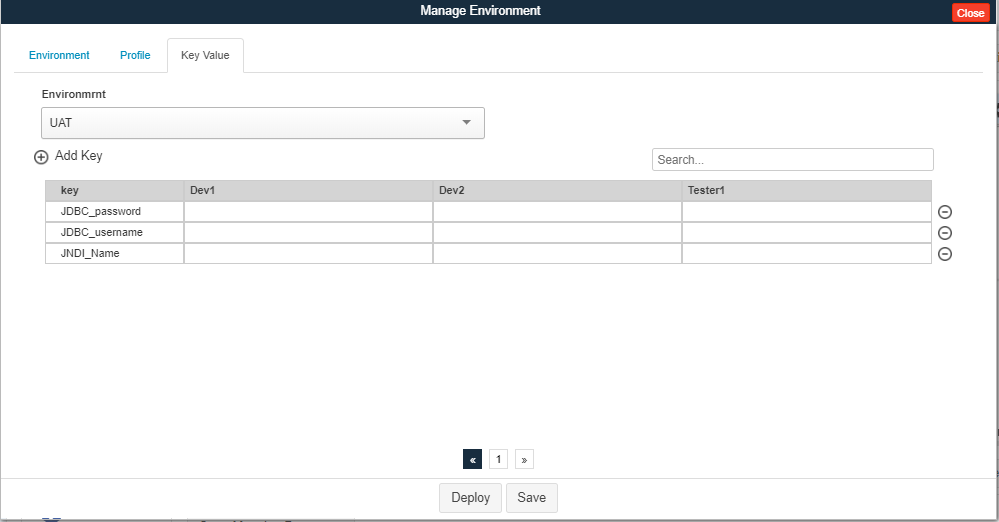
Navigate to the **Environment Setup** screen inside the application and click the **Add Environment** icon.
***
#### Step 2: Create Environments
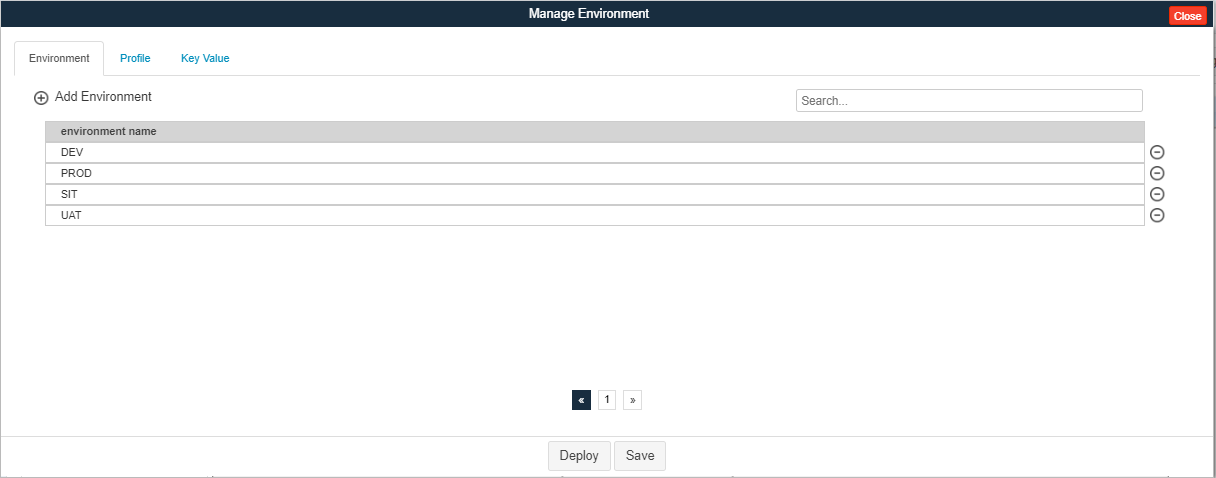
Create the required environments for the application, such as:
* Development
* Test
* UAT
* Production
Each environment is managed independently.
***
#### Step 3: Create Profiles (Optional)
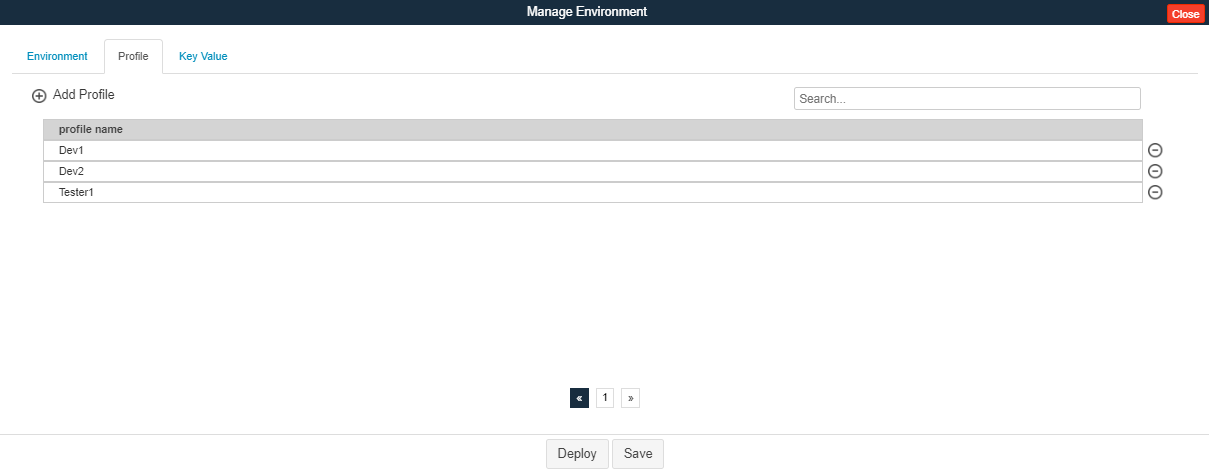
Within each environment, users can also define **Profiles** on the **Profile tab**.\
Profiles allow further segregation of configuration values within the same environment.
***
#### Step 4: Define Environment Variables
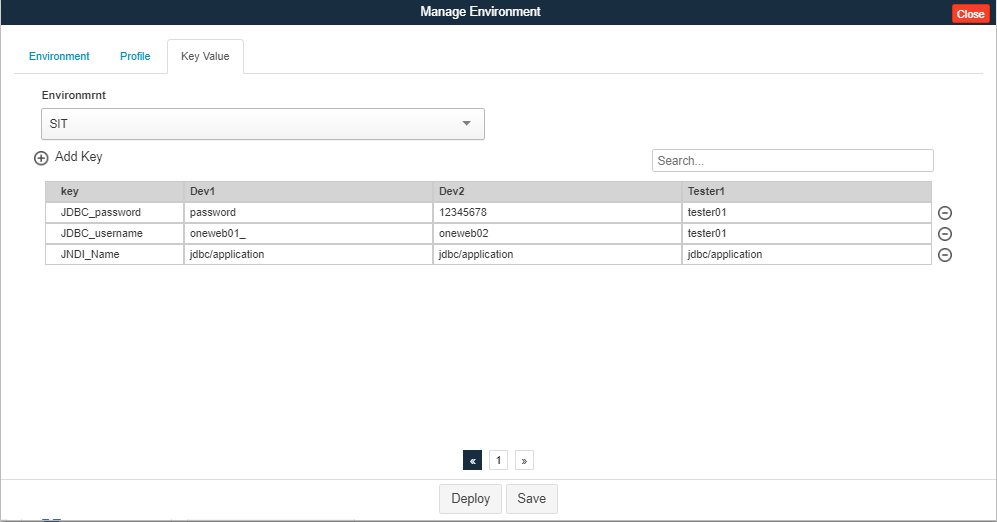
For each environment (and profile), define the required **environment variables**, such as:
* Database URLs
* JNDI names
* Web Service endpoints
* Credentials (if applicable)
The same variable (e.g. `DB_URL`) can then be created with **different values** for other environments.
***
### Using Environment Variables in Process Nodes
Once environment variables are defined, they can be used directly in **process node configurations**.
#### Example: Database Node Configuration
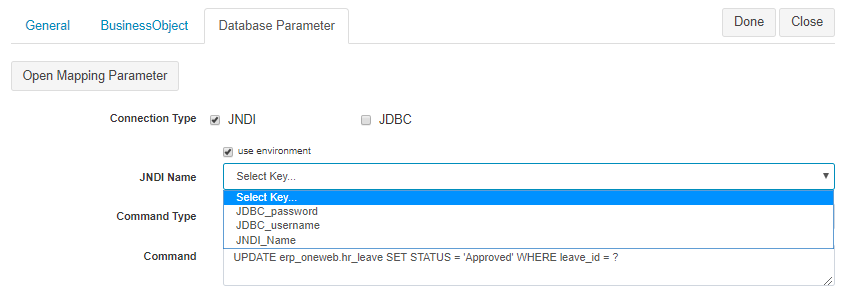
Many node configuration fields (such as Database Task or Web Service Task) provide a **Use Environment** checkbox.
When **Use Environment** is enabled:
* The value is loaded from the selected environment variable
* The node configuration automatically adapts to the target environment
This means:
* No hard‑coded URLs or credentials in the process
* No need to redesign or edit the process during deployment
***
### Usage Guidelines
* Define environment variables **before** configuring process nodes
* Use meaningful and consistent variable names (e.g. `DB_URL`, `SERVICE_ENDPOINT`)
* Avoid hard‑coding environment‑specific values in nodes
* Use profiles if multiple configurations are required within the same environment
* Always validate process behavior after switching environments
***
### Summary
**Environment Configuration** enables flexible, scalable, and safe deployment of processes across multiple environments.
Key benefits:
* Environment‑specific values are externalized
* Single process design works across Dev, Test, and Production
* Reduced deployment risk and maintenance effort
* Cleaner and more maintainable process diagrams
Using Environment Configuration correctly ensures that ONEWEB processes are **portable, production‑ready, and easy to manage across the full application lifecycle**.
---
# Agent Instructions: Querying This Documentation
If you need additional information that is not directly available in this page, you can query the documentation dynamically by asking a question.
Perform an HTTP GET request on the current page URL with the `ask` query parameter:
```
GET https://docs.onewebstack.com/oneweb-platform-th/designer-reference/process-designer/process-designer-component/environment-configuration.md?ask=
```
The question should be specific, self-contained, and written in natural language.
The response will contain a direct answer to the question and relevant excerpts and sources from the documentation.
Use this mechanism when the answer is not explicitly present in the current page, you need clarification or additional context, or you want to retrieve related documentation sections.