# Low-code with AppSpace
**AppSpace** is the central **Control Center** in ONEWEB, designed to help teams **create, manage, build, and deploy applications** from a single unified workspace.
It brings together all core design and development tools required for building enterprise‑grade applications, enabling **designers and developers to collaborate efficiently** throughout the application lifecycle.
***
#### **AppSpace as a Unified Development Hub**
Using AppSpace, users can manage all major application components in one place, including:
* **Smart Forms** using **App Designer**
* **Web Pages and Mobile Apps** using **Page Designer**
* **Business Processes** using **Process Designer**
* **Microservices and Flows** using **Microflow Designer**
This unified approach eliminates the need to switch between separate tools or environments and ensures consistency across application components.
***
#### **Seamless Navigation Across Components**
AppSpace allows users to **easily switch between different application components**, making it simple to move from UI design to process logic or service integration without leaving the workspace.
This seamless navigation helps teams:
* Maintain a clear overview of the entire application
* Reduce context‑switching overhead
* Improve productivity and development speed
***
#### **Built‑in Application Lifecycle Management**
In addition to design and development capabilities, AppSpace provides several built‑in features that simplify **application lifecycle management**, including:
* **User Management** – manage users, roles, and access
* **Version Management** – control and track application versions
* **Single‑Step Deployment** – build and deploy applications efficiently
These capabilities support controlled development, testing, and release processes, especially in enterprise environments.
***
#### **Benefits of Low‑Code Development with AppSpace**
By using AppSpace, teams can:
* Accelerate application development using low‑code tools
* Keep UI, logic, and services well‑organized
* Enable smoother collaboration between roles
* Manage the full application lifecycle from one platform
* Reduce complexity while maintaining scalability
AppSpace acts as the backbone that connects design, logic, services, and deployment into a cohesive workflow.
***
#### **AppSpace Overview**
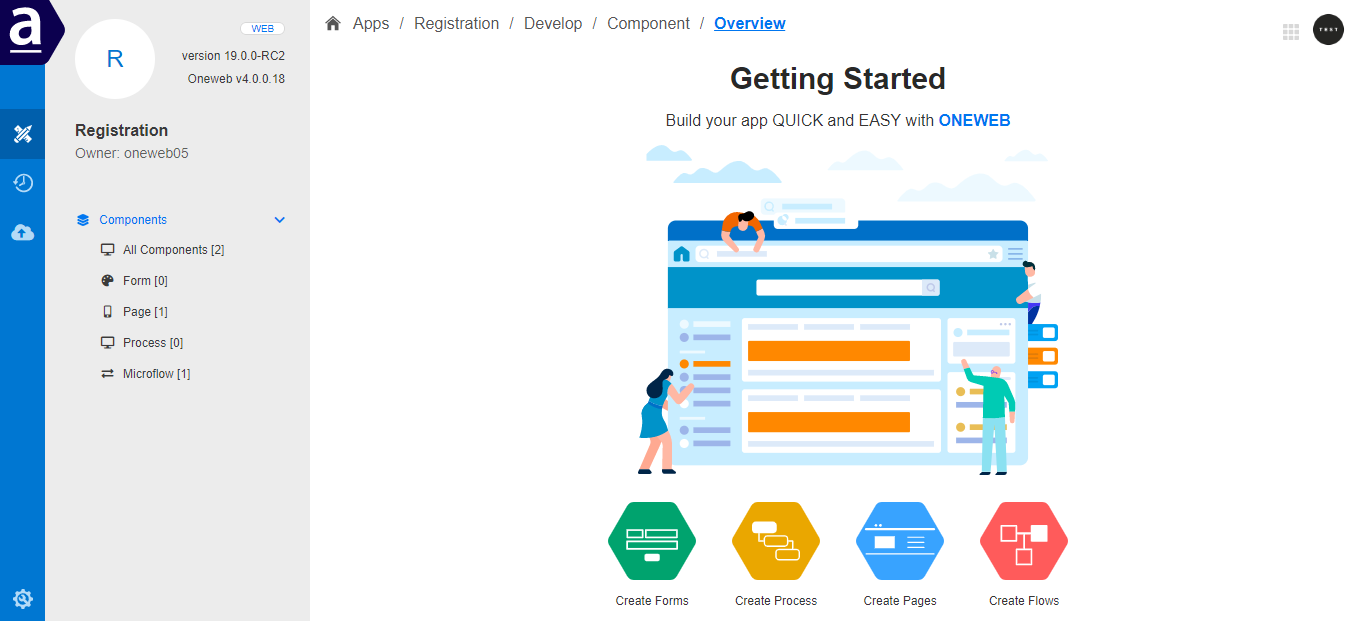
The image below illustrates AppSpace as the central workspace where all ONEWEB designers and tools are accessed and managed.
***
#### **Summary**
**Design & Develop Low‑Code Apps using AppSpace** enables teams to build modern applications efficiently and consistently.
With AppSpace, ONEWEB provides:
* A centralized low‑code development environment
* Integrated tools for UI, process, and service design
* Built‑in lifecycle and deployment management
* A collaborative platform for enterprise application development
This makes AppSpace the foundation for building scalable, maintainable, and production‑ready applications using ONEWEB.
---
# Agent Instructions: Querying This Documentation
If you need additional information that is not directly available in this page, you can query the documentation dynamically by asking a question.
Perform an HTTP GET request on the current page URL with the `ask` query parameter:
```
GET https://docs.onewebstack.com/oneweb-platform-th/building-apps/low-code-with-appspace.md?ask=
```
The question should be specific, self-contained, and written in natural language.
The response will contain a direct answer to the question and relevant excerpts and sources from the documentation.
Use this mechanism when the answer is not explicitly present in the current page, you need clarification or additional context, or you want to retrieve related documentation sections.