# Customizing Mobile Apps
ONEWEB **Page Designer** provides a feature‑rich SDK for developing mobile applications. It includes a wide range of built‑in tools that enable integration with external systems and databases, support push notifications, and provide offline storage capabilities.
While these features cover many common application requirements, modern mobile applications often require **advanced functionality that must interact directly with native device capabilities**.
To address this need, ONEWEB allows developers to extend mobile applications by importing **custom plugins** into Page Designer.
***
### Native Capability Integration Using Plugins
Page Designer supports the integration of native device capabilities through **Cordova plugins**. Developers can import and configure plugins to enable functionality that is not available through standard UI components or built‑in SDK features.
Key capabilities of plugin integration include:
* Accessing native device features
* Communicating with platform‑specific APIs
* Extending application behavior beyond default mobile features
ONEWEB supports importing a wide range of **existing Cordova plugins**, allowing developers to quickly add commonly used native features to their applications.
***
### Using Existing Cordova Plugins
There is a large ecosystem of readily available Cordova plugins that can be imported into a mobile application. These plugins typically provide access to standard mobile device features such as:
* Device hardware and sensors
* Native system services
* Platform‑specific APIs
Developers can import supported Cordova plugins directly into the mobile application settings within Page Designer and begin using them without additional native code development.
***
### Developing Custom Cordova Plugins
In cases where an application requires **highly specialized or custom functionality**, developers can create their own Cordova plugins.
Custom Cordova plugins can be developed using **Objective‑C** (for iOS) and packaged according to Cordova specifications. Once a custom plugin is implemented:
1. Build the Cordova plugin
2. Upload the plugin to a GitHub repository
3. Import the plugin into the mobile application via Page Designer
This approach allows applications to directly leverage native platform features that are otherwise not available through standard plugins.
***
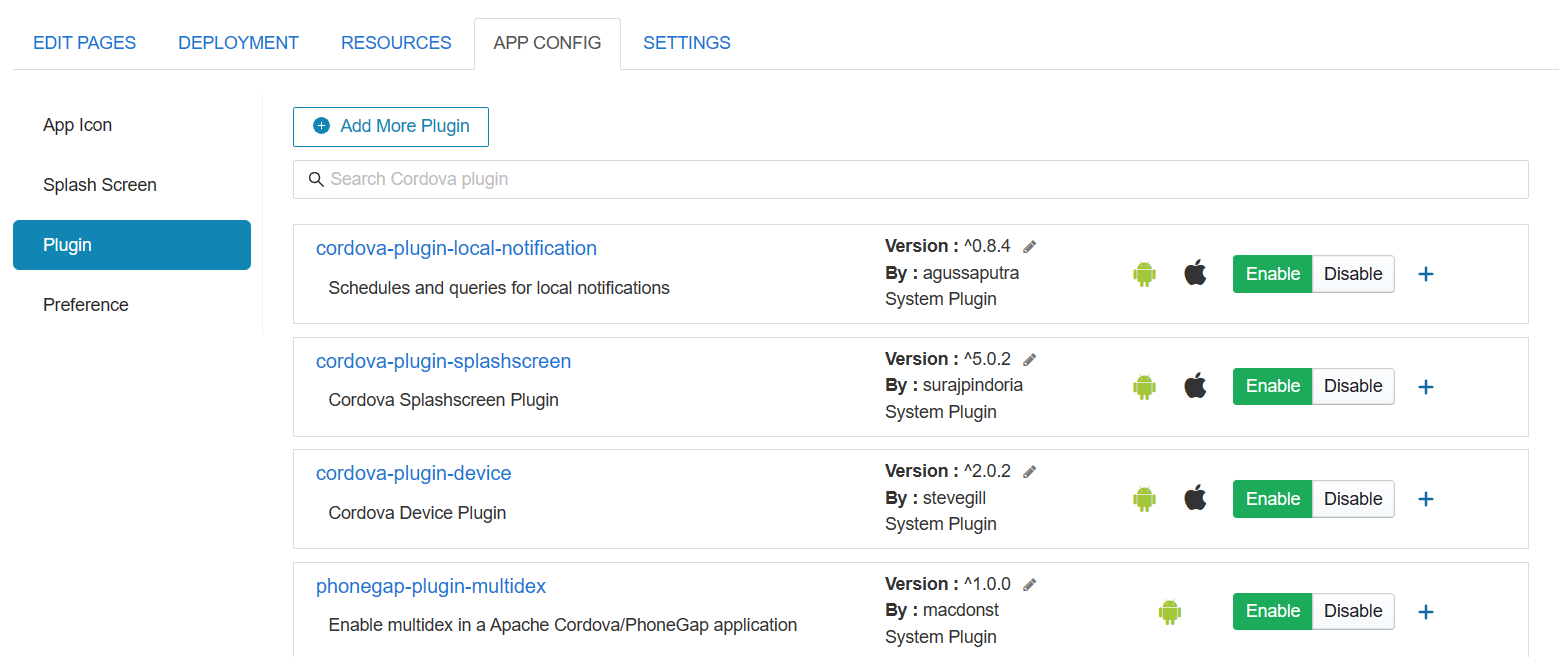
### Importing Plugins into Page Designer
After a Cordova plugin (existing or custom) is available, it can be imported through the **Mobile App Settings** in Page Designer.
From this interface, developers can:
* Add new plugins
* Configure plugin usage
* Manage plugin dependencies
The plugin becomes part of the mobile application build process and is included during CI/CD and deployment.
***
### Summary
By supporting both **pre‑built Cordova plugins** and **custom plugin development**, ONEWEB enables mobile applications to:
* Access native device functionality
* Meet advanced and specialized business requirements
* Extend beyond standard SDK capabilities
* Maintain flexibility while leveraging low‑code development
This plugin‑based approach allows developers to build powerful, customizable mobile applications while still benefiting from the productivity of Page Designer.
---
# Agent Instructions: Querying This Documentation
If you need additional information that is not directly available in this page, you can query the documentation dynamically by asking a question.
Perform an HTTP GET request on the current page URL with the `ask` query parameter:
```
GET https://docs.onewebstack.com/building-apps/ui-page-designer/ux-ui-components/pages/create-your-first-mobile-app/customizing-mobile-apps.md?ask=
```
The question should be specific, self-contained, and written in natural language.
The response will contain a direct answer to the question and relevant excerpts and sources from the documentation.
Use this mechanism when the answer is not explicitly present in the current page, you need clarification or additional context, or you want to retrieve related documentation sections.