# Dashboard using Page Extension
Starting from **ONEWEB version 4.0.0.19**, Page Designer introduces the **Charts Extension**, enabling users to design **dynamic and interactive dashboards** directly within web pages or mobile applications.
This approach provides a **modern alternative** to the traditional Widget Dashboard by offering richer visualization capabilities and tighter integration with Page Designer’s UI and data‑binding features.
***
#### Charts Extension Overview
The **Charts Extension** allows users to:
* Create dynamic charts and graphs visually
* Embed charts directly into **Page Designer layouts**
* Bind data from Microflows, stores, or other sources
* Reuse charts across pages and applications
* Design dashboards for both **web** and **mobile** platforms
Unlike Widget Dashboards, this method does not rely on manual database configuration and is fully supported by the Page Designer UI.
***
#### Installing the Charts Extension
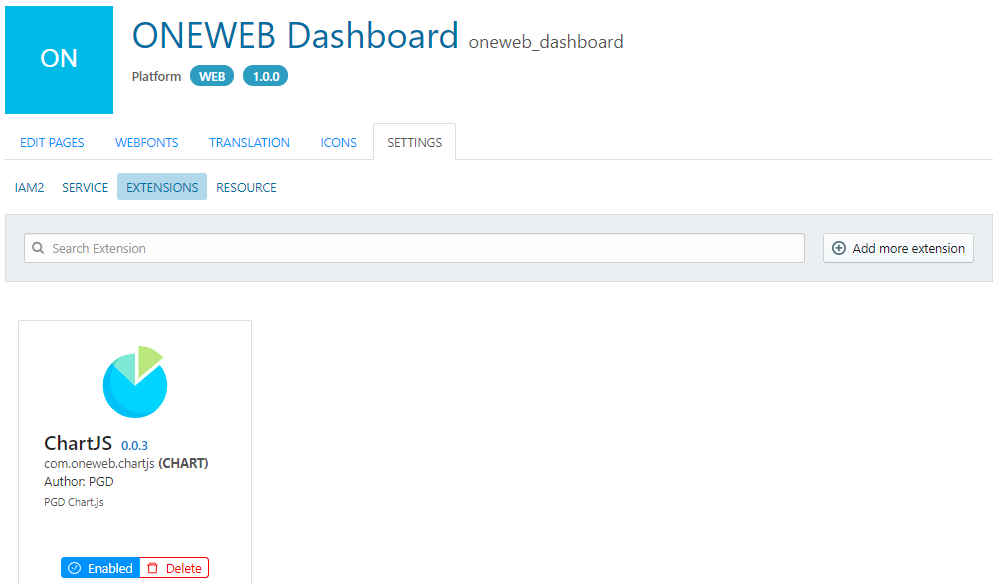
To use this feature, the **Charts Extension** must be installed in Page Designer.\
The extension is provided as a package included with the ONEWEB Page Designer tool.
Once installed, the Charts Extension becomes available as part of the Page Designer component set.
***
#### When to Use Dashboard using Page Extension
The Charts Extension approach is recommended for:
* New dashboard development
* Applications requiring **interactive or dynamic charts**
* Dashboards tightly coupled with page layout and UI logic
* Scenarios where visual design, flexibility, and maintainability are priorities
For legacy systems or dashboards already built using database‑driven configuration, **Widget Dashboard** remains supported.
***
#### Widget Dashboard vs Page Extension
| Aspect | Widget Dashboard | Charts Extension |
| ------------------------ | ---------------- | --------------------------- |
| Configuration | Database‑driven | UI‑driven via Page Designer |
| Visual Designer | ❌ Not available | ✅ Available |
| Flexibility | Limited | High |
| Recommended for New Apps | ❌ | ✅ |
| Backward Compatibility | ✅ | N/A |
***
#### Summary
**Dashboard using Page Extension** represents the recommended and modern approach for building dashboards in ONEWEB.
By leveraging the Charts Extension within Page Designer, developers can:
* Build dashboards faster
* Reduce manual configuration
* Improve maintainability
* Deliver richer and more interactive data visualizations
This approach complements the legacy Widget Dashboard while providing a forward‑looking solution for modern applications.
---
# Agent Instructions: Querying This Documentation
If you need additional information that is not directly available in this page, you can query the documentation dynamically by asking a question.
Perform an HTTP GET request on the current page URL with the `ask` query parameter:
```
GET https://docs.onewebstack.com/building-apps/ui-page-designer/ux-ui-components/dashboard/dashboard-using-page-extension.md?ask=
```
The question should be specific, self-contained, and written in natural language.
The response will contain a direct answer to the question and relevant excerpts and sources from the documentation.
Use this mechanism when the answer is not explicitly present in the current page, you need clarification or additional context, or you want to retrieve related documentation sections.