# Language Switch
ONEWEB provides **multi‑language support** across its designers to improve usability for global teams and local developers.\
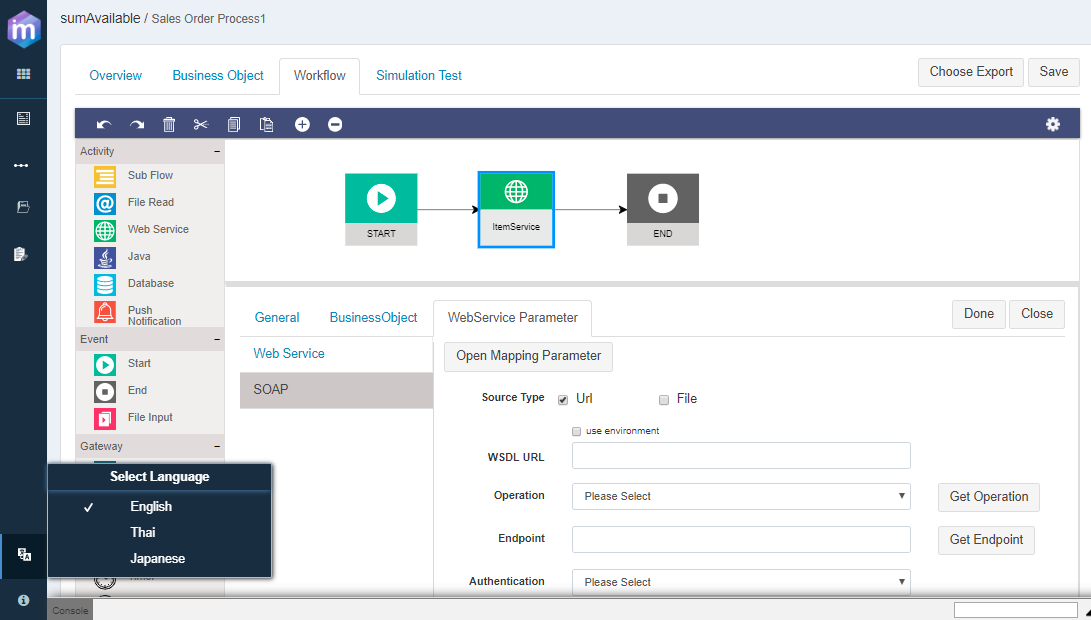
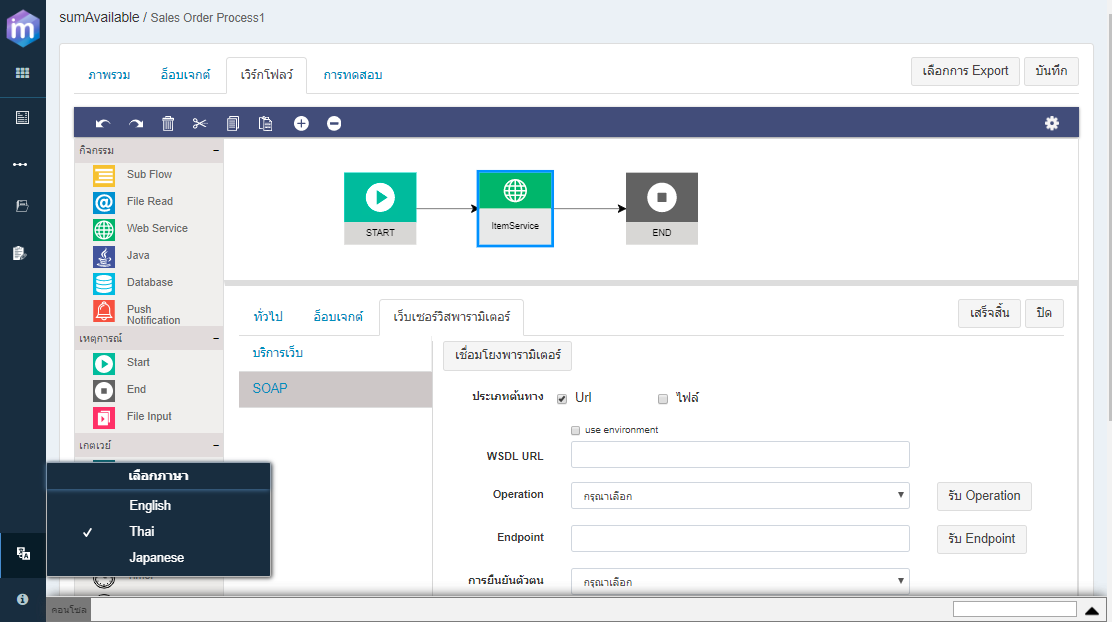
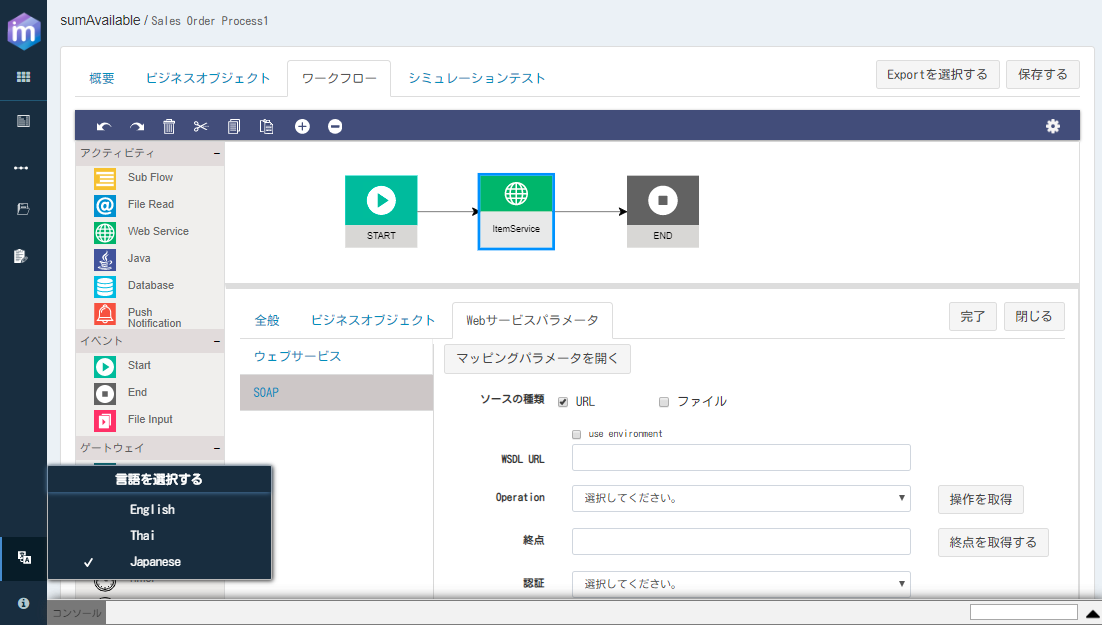
Currently, the following languages are supported in **Microflow Designer**:
* **English**
* **Thai**
* **Japanese**
Users can switch the designer language at any time, and the interface will update immediately.
***
### Purpose of Language Switch
The Language Switch feature allows users to:
* Work with ONEWEB designers in their preferred language
* Improve readability and understanding of UI elements
* Support distributed and multilingual development teams
* Reduce user errors caused by language barriers
This feature affects **designer UI labels and menus**, not the underlying Microflow logic or configuration.
***
### How to Switch Language in Microflow Designer
To change the language:
1. Open the **Microflow Designer**
2. Locate the **Language Switch icon** at the **bottom‑left panel**
3. Click the icon to display the available languages
4. Select the desired language
***
#### Language Options Example
After selecting a language, the Microflow Designer UI updates accordingly:
**English**
**Japanese (Example)**
***
### Important Notes
* Language switching affects **UI text only**
* Microflow names, Business Objects, and logic remain unchanged
* Language setting can be changed **at any time**
* No redeployment or refresh is required
***
### Summary
The **Language Switch** feature in ONEWEB improves developer experience by allowing Microflow Designer to be used in multiple languages.
With this feature, users can:
* Switch between English, Thai, and Japanese
* Work more comfortably in localized environments
* Support multi‑regional development teams
Language Switch enhances usability without affecting Microflow behavior, making it a helpful developer‑productivity feature in ONEWEB.
---
# Agent Instructions: Querying This Documentation
If you need additional information that is not directly available in this page, you can query the documentation dynamically by asking a question.
Perform an HTTP GET request on the current page URL with the `ask` query parameter:
```
GET https://docs.onewebstack.com/building-apps/integrations/develop-integration-with-oneweb-microflow/language-switch.md?ask=
```
The question should be specific, self-contained, and written in natural language.
The response will contain a direct answer to the question and relevant excerpts and sources from the documentation.
Use this mechanism when the answer is not explicitly present in the current page, you need clarification or additional context, or you want to retrieve related documentation sections.