# Integration Nodes
**Microflow** provides a set of built‑in **Integration Nodes** that allow applications to connect with databases, web services, files, and reusable logic.\
These nodes enable developers to implement integration logic visually without writing low‑level integration code.
Each node is designed for a specific type of system interaction and can be combined within a Microflow to form complete integration scenarios.
***
### Database Node
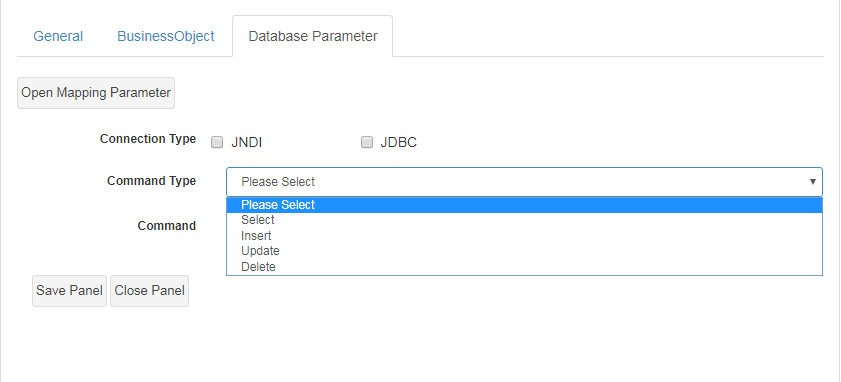
The **Database Node** allows a Microflow to communicate directly with a database.\
This node can be used to **retrieve, insert, update, or delete data** as part of an integration flow.
#### Supported Connection Types
* **JNDI** – preferred for managed, application‑server environments
* **JDBC** – used for custom or external database connections
#### Supported Commands
* **Select** – retrieve data from the database
* **Insert** – insert new records
* **Update** – update existing records
* **Delete** – delete records
SQL commands can be defined directly to specify tables, fields, and conditions.
**Typical use cases**
* Integrating with legacy databases
* Fetching reference data from external systems
* Synchronizing records between systems
***
### Sub Process Node
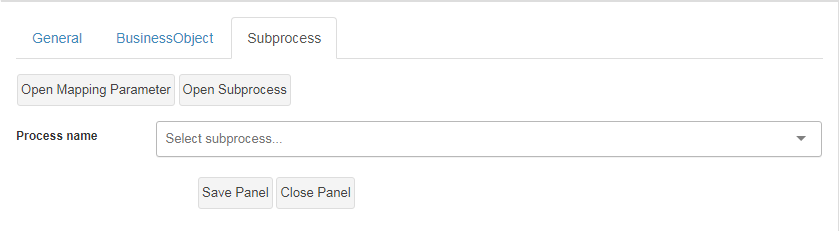
The **Sub Process Node** allows a Microflow to invoke another Microflow or Process as a **reusable subroutine**.
This node is useful when:
* Integration logic is repeated in multiple flows
* Complex logic needs to be broken down into smaller units
* Large Microflows need to remain readable and maintainable
Rather than duplicating logic, developers can encapsulate functionality and invoke it via this node.
**Best practice**
* Use Sub Process Nodes to implement reusable integration components
* Keep parent Microflows focused on orchestration only
***
### Web Service Node
The **Web Service Node** enables Microflows to integrate with **external web services**.
This node supports both:
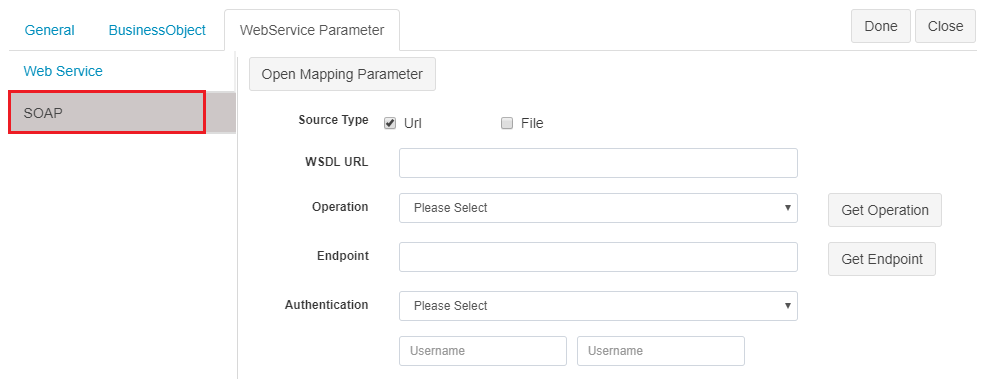
* **SOAP web services**
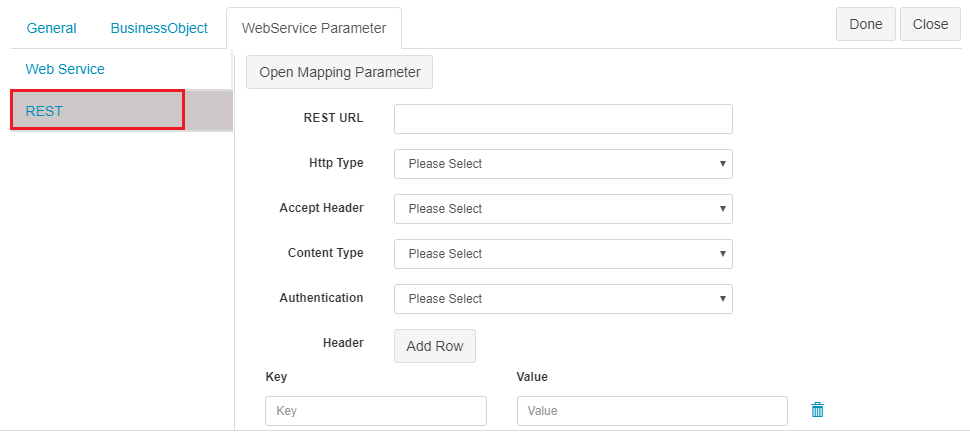
* **REST APIs**
Developers configure service details visually, and ONEWEB automatically:
* Generates the service methods
* Builds request and response data structures
* Handles invocation logic
#### SOAP Integration
#### REST Integration
From a user perspective, SOAP and REST services are configured in a **similar way**, reducing complexity when integrating different types of APIs.
***
### File Read Node
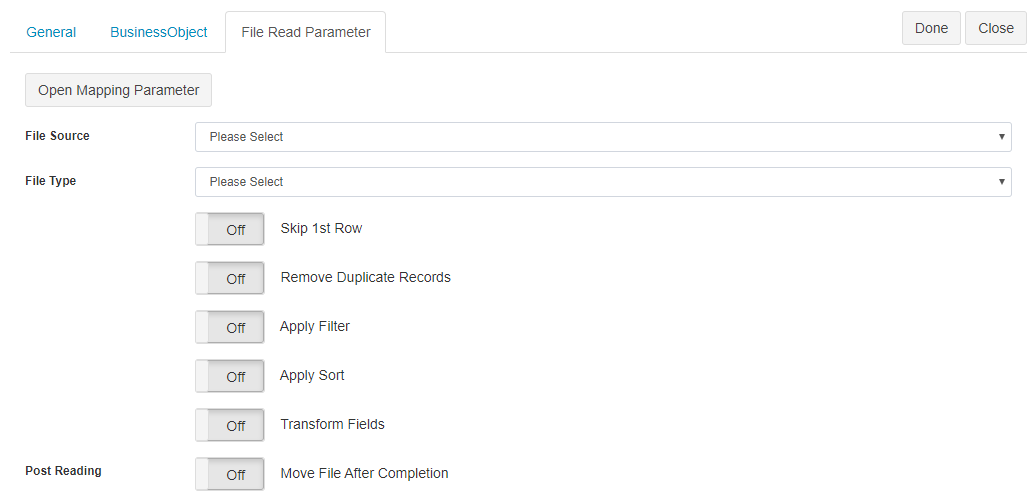
The **File Read Node** allows a Microflow to read structured data from files stored on various sources.
#### Supported File Types
* Microsoft Excel
* XML files
* Delimited files (CSV)
* Fixed‑width files
#### Supported File Sources
* Local file system
* FTP
* SFTP
* FTPS
The File Read Node can:
* Create data models from file structures
* Populate business objects with file data
* Configure actions for **success** and **failure** scenarios
**Common use cases**
* Batch imports
* File‑based system integration
* Legacy data processing
***
### Summary
**Integration Nodes** in Microflow provide the building blocks for connecting ONEWEB applications with internal and external systems.
Using these nodes, developers can:
* Integrate with databases using SQL commands
* Call external SOAP and REST services
* Process Excel, XML, CSV, and fixed‑width files
* Reuse integration logic via Sub Process Nodes
* Build complete integration flows visually
Together, these nodes make Microflow a **powerful, low‑code integration layer** within ONEWEB’s enterprise application platform.
---
# Agent Instructions: Querying This Documentation
If you need additional information that is not directly available in this page, you can query the documentation dynamically by asking a question.
Perform an HTTP GET request on the current page URL with the `ask` query parameter:
```
GET https://docs.onewebstack.com/building-apps/integrations/develop-integration-with-oneweb-microflow/integration-nodes.md?ask=
```
The question should be specific, self-contained, and written in natural language.
The response will contain a direct answer to the question and relevant excerpts and sources from the documentation.
Use this mechanism when the answer is not explicitly present in the current page, you need clarification or additional context, or you want to retrieve related documentation sections.