# Excel Reader
Starting from **ONEWEB version 4.0.19.11**, the platform supports **Custom Extensions** that can be used in both **Process Designer** and **Microflow Designer**.\
In addition to allowing users to create their own extensions, ONEWEB also provides **built‑in extensions**, one of which is the **Excel Reader**.
The **Excel Reader extension** is used to **read data from Excel files** and process that data within Microflows or Process Flows.
***
### Purpose of Excel Reader
The Excel Reader extension is designed to:
* Read structured data from Microsoft Excel files
* Support batch and file‑based data integration
* Enable Excel‑driven workflows and data imports
* Integrate legacy or external Excel data with backend systems
Typical use cases include:
* Importing master or reference data from Excel
* Processing bulk records supplied via spreadsheets
* Reading Excel files from file systems or network locations
***
### Install Excel Reader Extension
Before using Excel Reader, the extension must be **installed and enabled** in the application.
To install the extension:
* Follow the steps described in **Section 6.4.16 – Custom Extensions**
* Install and enable the **Excel Reader extension** for the application
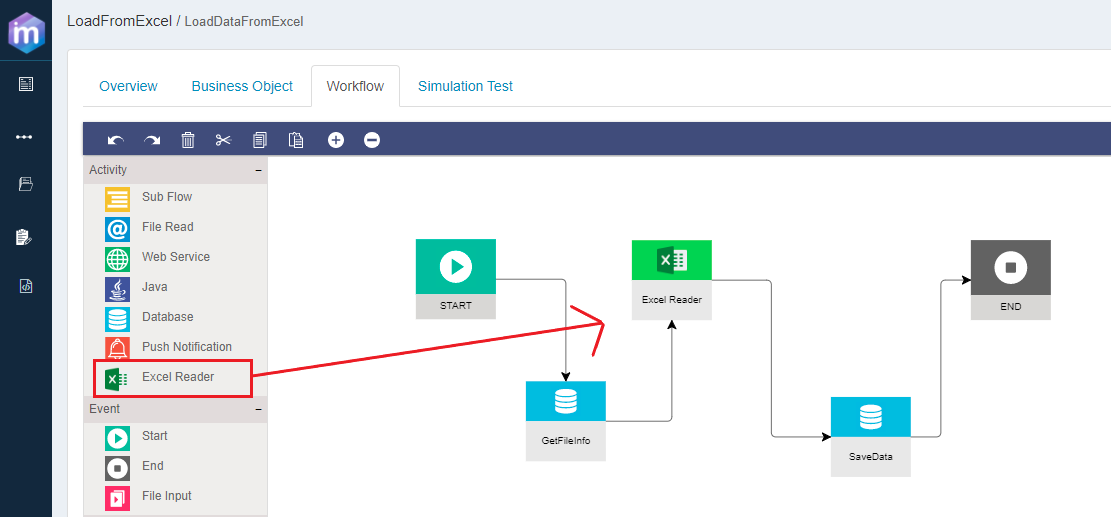
Once installed, the Excel Reader appears in the **diagram palette** and can be used like any other activity node.
***
### Configuring Excel Reader
After placing the Excel Reader node on the canvas, users can configure how and where the Excel file is read.
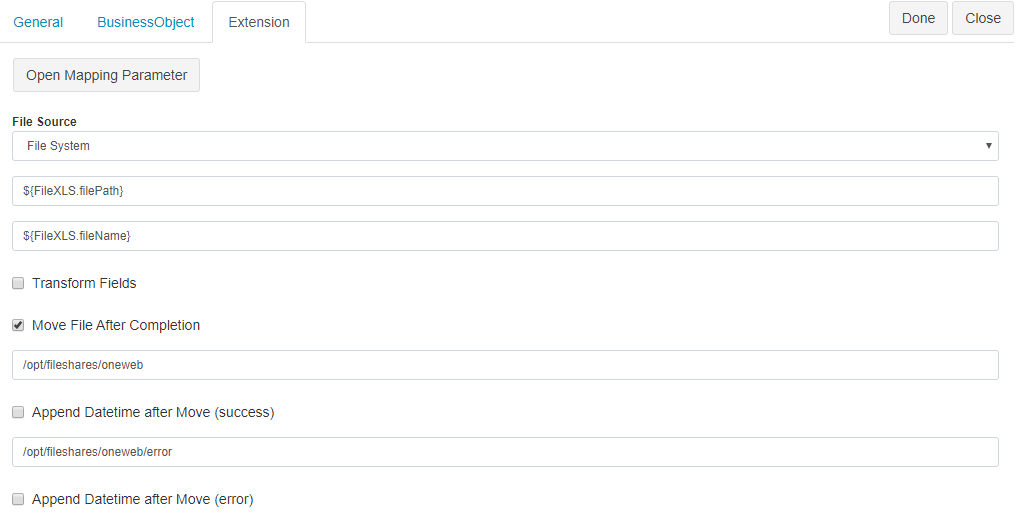
#### File Source Configuration
The Excel Reader supports reading Excel files from multiple sources:
* **File System**
* **Network locations**
* **FTP**
* **SFTP**
* **FTPS**
Users can:
* Enter file path and connection details directly
* Or retrieve file location details from a **Business Object**
This flexibility allows Excel Reader to integrate with both local and remote file‑based systems.
***
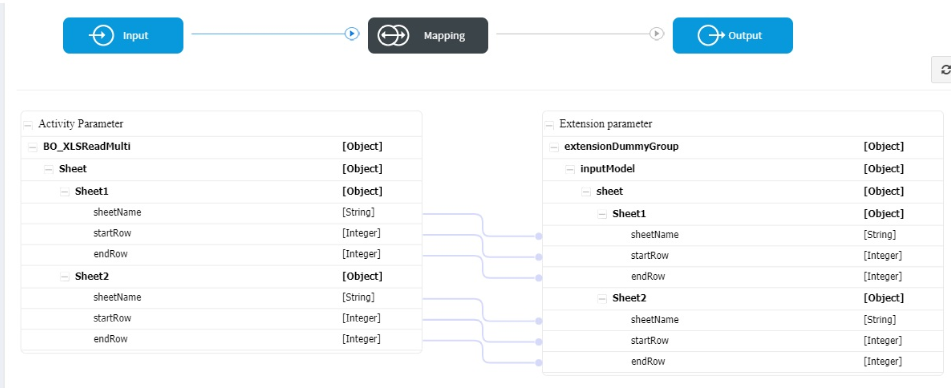
### Reading Data from Multiple Sheets
Excel Reader supports reading data from **multiple worksheets** within a single Excel file.
* Sheet names (or identifiers) can be passed as input
* Users can map sheet‑specific configuration via input Business Objects
This enables flexible handling of complex Excel files containing multiple data sets.
***
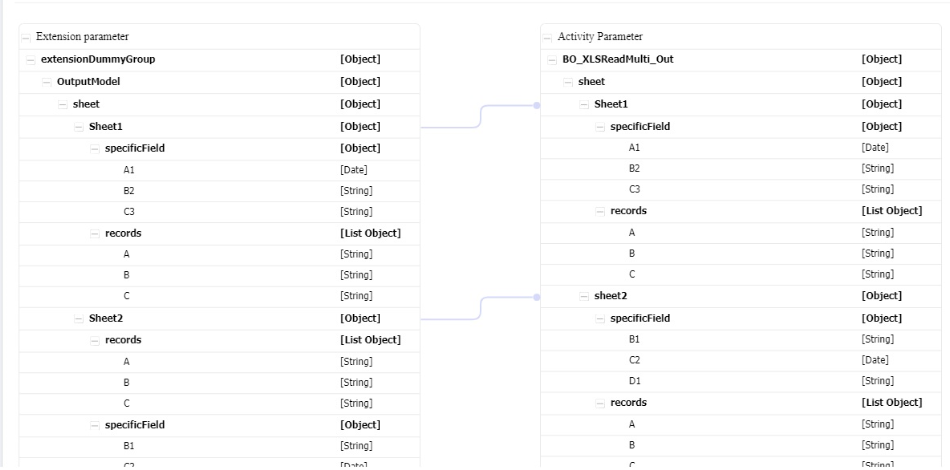
### Column‑Level or Row‑Level Reading
Excel Reader provides two main ways to read data:
* **Specific Field (Column‑level)**
* Read values from specific columns only
* **Records (Row‑level)**
* Read complete rows as records
These options are configured per sheet, allowing fine‑grained control over how Excel data is processed.
***
### Best Practices
* Use Excel Reader for batch or file‑based integrations
* Validate file format and structure before processing
* Use Business Objects to define clear data contracts
* Avoid hard‑coding file paths—use environment variables when possible
* Combine with **Database** or **Web Service** tasks for downstream processing
***
### Summary
The **Excel Reader extension** is a built‑in Custom Extension in ONEWEB that enables Microflows and Process Flows to read and process Excel data.
With Excel Reader, developers can:
* Read Excel files from local or remote sources
* Handle multi‑sheet Excel documents
* Extract column‑level or row‑level data
* Integrate Excel‑based data into backend workflows
Excel Reader is a powerful tool for building **file‑driven and data‑import integration scenarios** within ONEWEB.
---
# Agent Instructions: Querying This Documentation
If you need additional information that is not directly available in this page, you can query the documentation dynamically by asking a question.
Perform an HTTP GET request on the current page URL with the `ask` query parameter:
```
GET https://docs.onewebstack.com/building-apps/integrations/develop-integration-with-oneweb-microflow/excel-reader.md?ask=
```
The question should be specific, self-contained, and written in natural language.
The response will contain a direct answer to the question and relevant excerpts and sources from the documentation.
Use this mechanism when the answer is not explicitly present in the current page, you need clarification or additional context, or you want to retrieve related documentation sections.